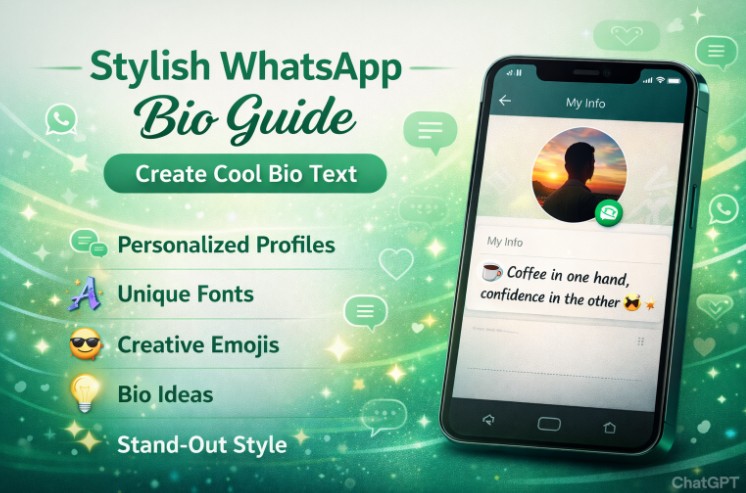
Stylish WhatsApp Bio Guide | Create Cool Bio Text
Your WhatsApp bio is that short line under your name that tells people who you are. It’s like a quick intro in a chat app where millions connect every day. If you want to stand out, making it stylish can help show your personality right away.
Many users look for ways to make their profiles pop with fun text. That’s where ideas like using special fonts or clever words come in. And if you’re into extra features, check out WhatsApp Plus Official for more options to tweak your setup.
This guide will walk you through simple steps to build a bio that grabs attention. We’ll cover easy tips, real examples, and how to avoid basic errors. By the end, you’ll have fresh ideas to update your own bio and make it cool.
Why Update Your WhatsApp Bio?
A good bio sets the tone for your chats. It can spark talks or just share a bit about you. People often glance at it before sending a message, so keeping it fresh matters.
Think about what you want to say. Are you funny, serious, or somewhere in between? A stylish bio matches your vibe and draws in the right crowd.
Plus, with apps like WhatsApp, small changes like this can make daily use more fun. It turns a plain profile into something unique.
Key Elements of a Cool Bio
Start with brevity. Most bios are limited to 139 characters, so every word counts. Pick ones that pack a punch without dragging on.
Add some flair with symbols or quotes. Things like hearts or arrows can break up text and make it eye-catching. Just don’t overdo it, or it might look messy.
Tie it to your interests. If you love music, drop a song lyric. For travel fans, mention a favorite spot. This makes your bio feel personal and real.
Tips to Craft Your Bio
Begin by brainstorming ideas. Jot down words that describe you, like “adventurer” or “dreamer.” Mix them with fun elements to create something original.
Use different fonts if possible. Some tools let you change text style, making it bold or italic. This adds a stylish touch without much effort.
Keep it positive. A upbeat bio invites more interactions. Avoid negative vibes that might push people away.
- Test a few versions before setting one.
- Ask friends for feedback on what sounds best.
- Update it now and then to keep things current.
Ideas for Different Styles
For a funny take, try puns or jokes. Something like “Coffee in one hand, confidence in the other” works well. It shows humor without trying too hard.
If you’re motivational, go with inspiring words. “Chase dreams, not people” is simple yet powerful. It motivates others while defining you.
Creative types can use poetry or rhymes. “Wanderlust soul with a heart of gold” flows nicely. It paints a picture in just a few words.
Business-minded? Keep it professional but cool. “Turning ideas into action” hints at your drive. Add your job title if it fits.
Examples to Inspire You
Here are some ready-to-use bios grouped by theme. Feel free to tweak them.
Funny ones:
- “Probably talking to my dog right now.”
- “Recovering ice cream addict.”
- “Life update: Still a mess.”
Motivational:
- “Believe you can and you’re halfway there.”
- “Hustle until your haters ask if you’re hiring.”
- “Every day is a second chance.”
Creative:
- “Painting my world in colors unknown.”
- “Words weave my reality.”
- “Dancing through life’s chaos.”
Romantic:
- “In love with sunsets and you.”
- “Heart full of stars.”
- “Finding magic in moments.”
These show how a few words can say a lot. Pick one that fits your mood or mix parts from different ones.
How to Add Style with Fonts?
Plain text is fine, but styled fonts make bios stand out. You can find online generators that convert regular words into fancy versions.
Copy and paste the result into your WhatsApp settings. It works on most devices without issues.
For advanced users, apps like WhatsApp Plus Official offer built-in tools for this. They let you experiment with more styles directly in the app.
Remember, not all fonts show up the same on every phone. Test yours to make sure it looks good.
Tie in Emojis Wisely
Emojis can boost a bio’s appeal. A single one, like a rocket for ambition, adds visual pop.
Place them at the end or between words. For example, “Adventure awaits 🚀” feels dynamic.
But limit to one or two. Too many can clutter the space and distract from your message.
Choose ones that match your theme. A book for readers or a camera for photographers keeps it relevant.
Common Mistakes and How to Fix Them
One big error is making it too long. Stick to the character limit to avoid cuts.
Another is being vague. “Just me” doesn’t tell much. Add specifics to make it engaging.
Don’t copy others exactly. It lacks originality and might not fit you.
Fix these by reviewing your bio often. Read it out loud to check if it sounds natural.
Advanced Options for Customization
If basic features aren’t enough, explore mods. WhatsApp Plus Official provides extras like theme changes and font packs.
You can download it from trusted sites like https://wapluz.com/. It expands what you can do with your profile.
With it, bios can include more creative elements. Things like colored text or unique symbols become easy.
Always back up your chats first. This keeps your data safe during setup.
Keeping Your Bio Fresh
Change it based on seasons or events. A holiday twist adds fun.
Track what gets responses. If a bio sparks more messages, note why.
Inspire from others but make it your own. Scroll through friends’ profiles for ideas.
Regular updates show you’re active. It keeps your presence lively in the app.
Benefits of a Stylish Bio
It boosts first impressions. New contacts see it right away.
In groups, it helps you stand out. People remember cool bios more.
For networking, it opens doors. A clever line can start useful connections.
Overall, it makes using the app more enjoyable. Small tweaks like this add personality to tech.
Conclusion
Creating a stylish WhatsApp bio is simple and rewarding. It lets you express yourself in a small space with big impact. Use the tips here to build one that fits you perfectly.
Remember, tools like WhatsApp Plus Official can take it further. Visit GB WhatsApp for more details if interested.
Keep experimenting until you find what clicks. A cool bio enhances your whole experience on the app. Now go update yours and see the difference.